
Kheloyar Sign Up Guide: Steps to Register and Verify a New Account
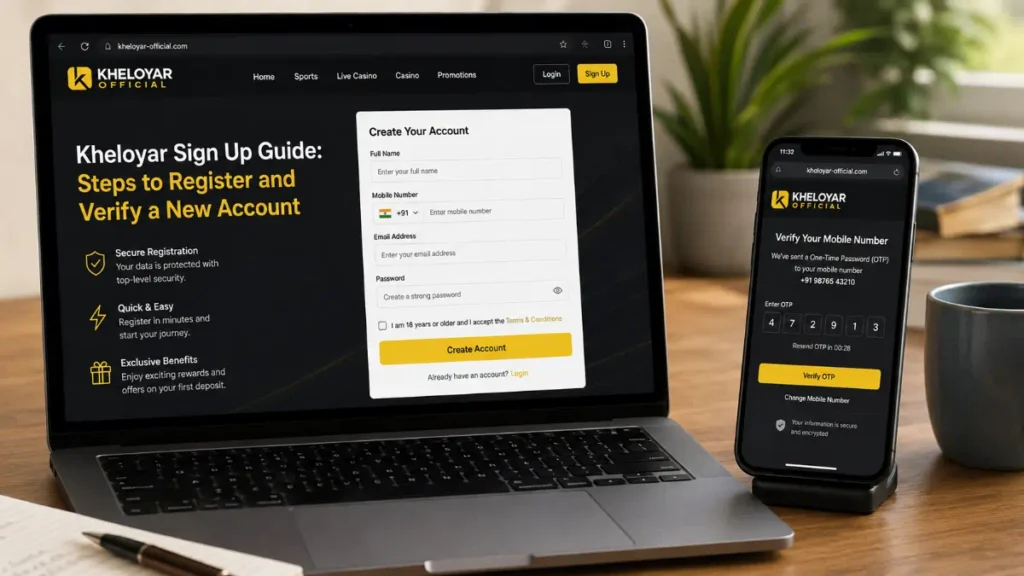
Creating a new Kheloyar account may look like a simple matter of entering a few details and choosing a password. In practice, new users should check much more before submitting personal information to any gaming platform especially one connected with betting, casino games, or other real-money activities.
That matters even more in 2026. Search results currently show several websites using Kheloyar-style branding, with different claims about registration, apps, and account access. At the same time, India’s current online-gaming rules prohibit online money games and related financial facilitation. Users in India therefore need to check legal eligibility before attempting to create or fund any real-money gaming account.
This guide explains what to check during registration, how account verification normally works, how to protect your information, and what to know before looking for a Kheloyar App Download.
Why Kheloyar Registration Requires More Attention in 2026
Registration is often presented as the easiest part of joining an online platform. A website may display a large “Sign Up,” “Register,” or “Create Account” button and make the process appear almost instant.
The difficult part is confirming what sits behind that button.
Current web results show multiple domains presenting themselves with Kheloyar branding. Some describe conventional account registration, while another describes an account-access process involving WhatsApp. Separate pages also promote downloadable mobile software. These differences are a good reason not to assume that every similarly named website belongs to the same operator.
Before sharing your phone number, email address, identity documents, or payment information, establish exactly who operates the service and whether using it is permitted where you live.
The First Step Happens Before You Press Sign Up
A responsible registration process begins with verification of the platform itself.
Look carefully at the domain name. A logo, familiar colour scheme, search-engine result, Telegram account, or WhatsApp message does not prove that a website is genuine.
Check whether the website clearly provides:
- Operator or company information
- Terms and conditions
- Privacy policy
- Contact and support information
- Age restrictions
- Information about how personal data is handled
- Rules covering account verification
- Clear information about the type of gaming offered
Do not depend entirely on claims such as “official,” “trusted,” or “secure.” These are marketing words unless they are supported by information you can independently verify.
This check is particularly important because phishing websites can imitate registration and login pages extremely closely.
A Major Legal Check Indian Users Should Not Skip
Older registration guides may no longer reflect the current legal environment.
India enacted the Promotion and Regulation of Online Gaming Act, 2025. The legislation includes a prohibition on online money games, advertising connected with such games, and related fund transfers. Official government records also show that the regulatory framework and enforcement measures were put into effect in 2026.
The Government of India has described the legislation as prohibiting online money games regardless of whether they involve chance, skill, or a combination of both.
For that reason, finding an accessible website does not automatically mean that its real-money services are lawful for you to use.
Anyone researching Kheloyar should first determine what services are currently being offered and whether those services are permitted in their jurisdiction. Website availability should never be treated as legal confirmation.
What a Normal Account-Creation Screen May Ask For
If you are registering for a lawful service, an ordinary account form may request basic information required to identify and secure the user.
Depending on the service, that may include your:
- Name
- Mobile number
- Email address
- Date of birth
- Username
- Password
- Country or region
Read every field before entering information.
Be particularly cautious when a registration page requests information that seems unnecessary at the account-creation stage. Your UPI PIN, internet-banking password, debit-card PIN, email password, or complete OTP history should never be casually shared with an agent or stranger claiming that it is required to “activate” your account.
Your Password Deserves More Than Five Seconds
A weak password can make even a legitimate account easy to compromise.
Use a password created specifically for the account rather than recycling one from Gmail, Instagram, banking apps, shopping sites, or another gaming service.
A stronger password should ideally contain a mixture of:
- Uppercase and lowercase letters
- Numbers
- Symbols
- Enough characters to make guessing difficult
More importantly, make it unique.
If a platform supports two-factor authentication or another additional security layer, consider enabling it. Extra authentication can reduce the damage caused if someone obtains your password.
Never send your password through WhatsApp, Telegram, SMS, or social media simply because someone introduces themselves as an account manager.
How Account Verification Usually Works
Verification can mean different things depending on the service.
Basic verification may involve confirming ownership of an email address or mobile number. A platform may send a short code or verification link to the contact information entered during registration.
Services that are legally required to conduct identity verification may request additional documentation.
Before uploading anything, check:
- Why the document is required.
- Which company will receive it.
- How the information will be stored.
- Whether the privacy policy explains its use.
- Whether the website connection and domain are genuine.
Identity documents contain valuable personal information. Uploading them to an unknown portal can create risks far beyond the loss of one gaming account.
The OTP Rule Every New User Should Remember
An OTP proves that you have access to a phone number, email account, or financial service.
That makes it valuable to attackers.
Enter a registration OTP only on the verified page or application that generated the request. Do not read an OTP to someone over a phone call merely because that person claims to work for support.
Banking and UPI verification codes require even greater care.
If an unexpected code arrives when you are not performing an action yourself, do not approve it. Someone else may be attempting to access your account.
Kheloyar App Download: Check the Source Before Installing Anything
Mobile access creates another security decision.
Search results currently show Kheloyar-branded pages promoting downloadable applications, including Android APK installation. At least one such page states that its Android app is distributed through a website rather than Google Play.
That makes source verification especially important.
An APK installed outside an official app marketplace does not receive the same storefront-based screening and distribution safeguards that users may expect from Play Store installations.
Before considering any Kheloyar App Download, verify the source independently and avoid APK files received through random messages, shortened links, pop-ups, unofficial groups, or unknown download websites.
Be cautious if an installation asks for permissions unrelated to its basic purpose, particularly access to SMS messages, contacts, accessibility controls, device administration, or files.
Do Not Confuse Account Verification With Payment Verification
These are two different processes.
Confirming your email or mobile number establishes that you control that contact method. It does not normally require your banking password, UPI PIN, ATM PIN, or remote access to your phone.
A major warning sign is someone asking you to install screen-sharing or remote-control software so they can “finish verification” for you.
Another warning sign is being told to transfer money solely to unlock verification.
Where online money gaming is prohibited, users should not attempt to bypass payment restrictions, location controls, blocked domains, or other regulatory measures.
Common Registration Mistakes That Create Bigger Problems
New users often concentrate on completing a form quickly. Slowing down can prevent several problems.
Using a Search Result Without Checking the Domain
Search ranking does not prove authenticity. Sponsored pages, lookalike domains, and unofficial guides may appear alongside legitimate information.
Reusing an Important Password
If the gaming account is compromised, attackers may try the same password on your email or social accounts.
Sharing an OTP With an Agent
A verification code can potentially authorize access or another sensitive action. Treat it as confidential.
Installing an APK From a Message
Even convincing branding does not prove that an APK is genuine.
Ignoring Current Local Rules
An older article or video may describe services that are no longer legally available. Regulations can change faster than search results disappear.
After Registration, Review the Account Before Using It
If you have lawfully created an account for a permitted service, spend a few minutes reviewing its security settings instead of immediately moving on.
Check whether your phone number and email address are correct. Review logged-in devices or active sessions if that feature exists.
Also look for privacy, communication, and security controls.
If you receive an unexpected password-reset message shortly after registration, do not click links automatically. Open the verified website or application independently and check the account there.
Save legitimate support information rather than searching for a new customer-care number every time you need assistance. Fake support numbers are a common route into account fraud.
A Better Checklist for First-Time Users
The safest registration is not necessarily the fastest one.
Before creating a new account, confirm that you can answer these questions:
- Am I legally allowed to use this specific service?
- Have I identified the genuine operator and domain?
- Do I understand what information will be collected?
- Have I read the important account and privacy terms?
- Am I using a unique password?
- Do I know how verification works?
- Am I installing software only from a source I can verify?
- Would I recognise a fake support or payment request?
If any answer is unclear, research it before submitting sensitive information.
Conclusion:
A Kheloyar sign-up search is not simply about finding the fastest registration button. In 2026, users need to consider platform authenticity, data security, app-source safety, account verification, and—most importantly—current legal eligibility.
Verify the domain before entering personal information, create a unique password, keep OTPs private, and investigate any Kheloyar App before installing it. Indian users should also remember that current national legislation prohibits online money games and related payment facilitation.
The useful takeaway is simple: verify first, register only when the service and your intended use are lawful, and never trade account security for faster access.
FAQs
Frequently Asked Questions
1. Is registration required to use Kheloyar?
Yes, users generally need to create an account before accessing platform features. Registration usually requires basic details and may include a verification step.
2. What information is needed for sign-up?
You may need a mobile number, email address, username, and password. Additional information may be requested for account verification.
3. What if I don’t receive the verification code?
Check your contact details and spam folder first. If the code still does not arrive, request a new one or contact official support.
4. Is Kheloyar App Download safe?
Download the app only from an official or trusted source. Avoid unknown APK websites, as unofficial files may create security risks.
5. What if I forget my password?
Use the official password-reset option on the login page and follow the verification instructions to regain access to your account.
Author